
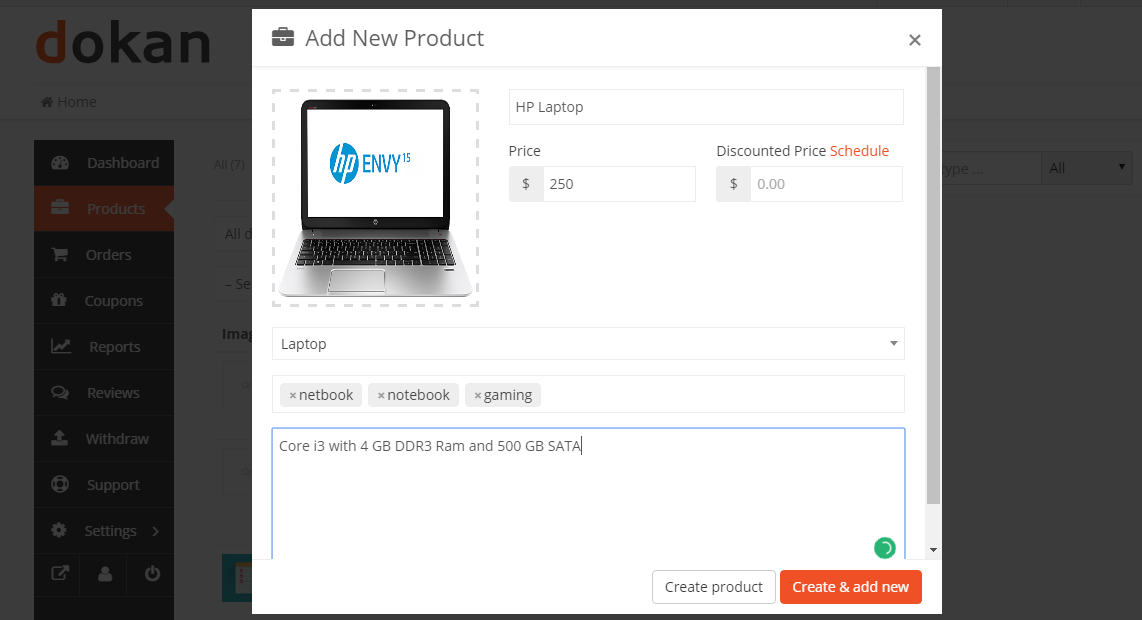
Create a product first
Go to Seller Dashboard → Product → Add New product

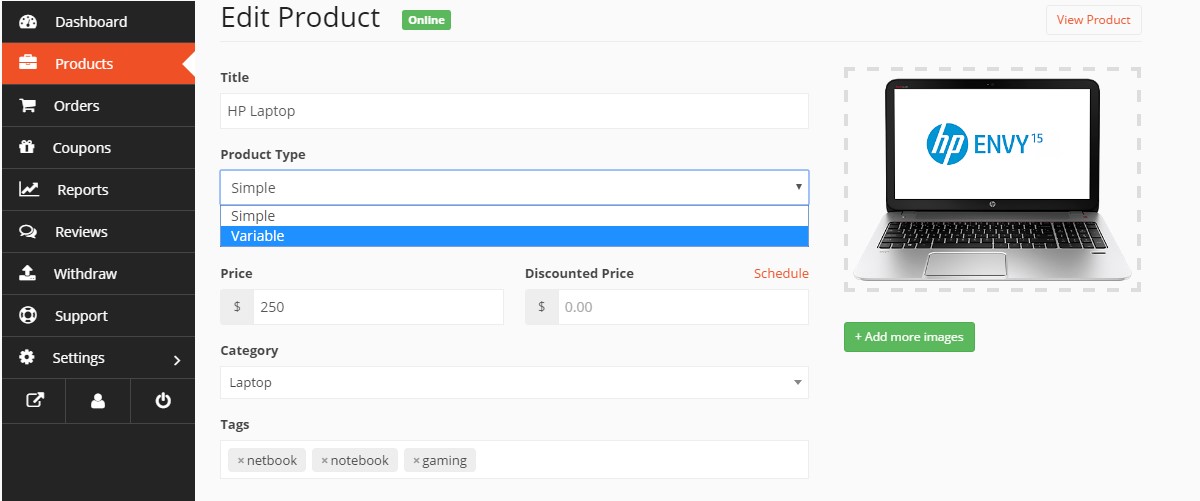
Enabling Variations
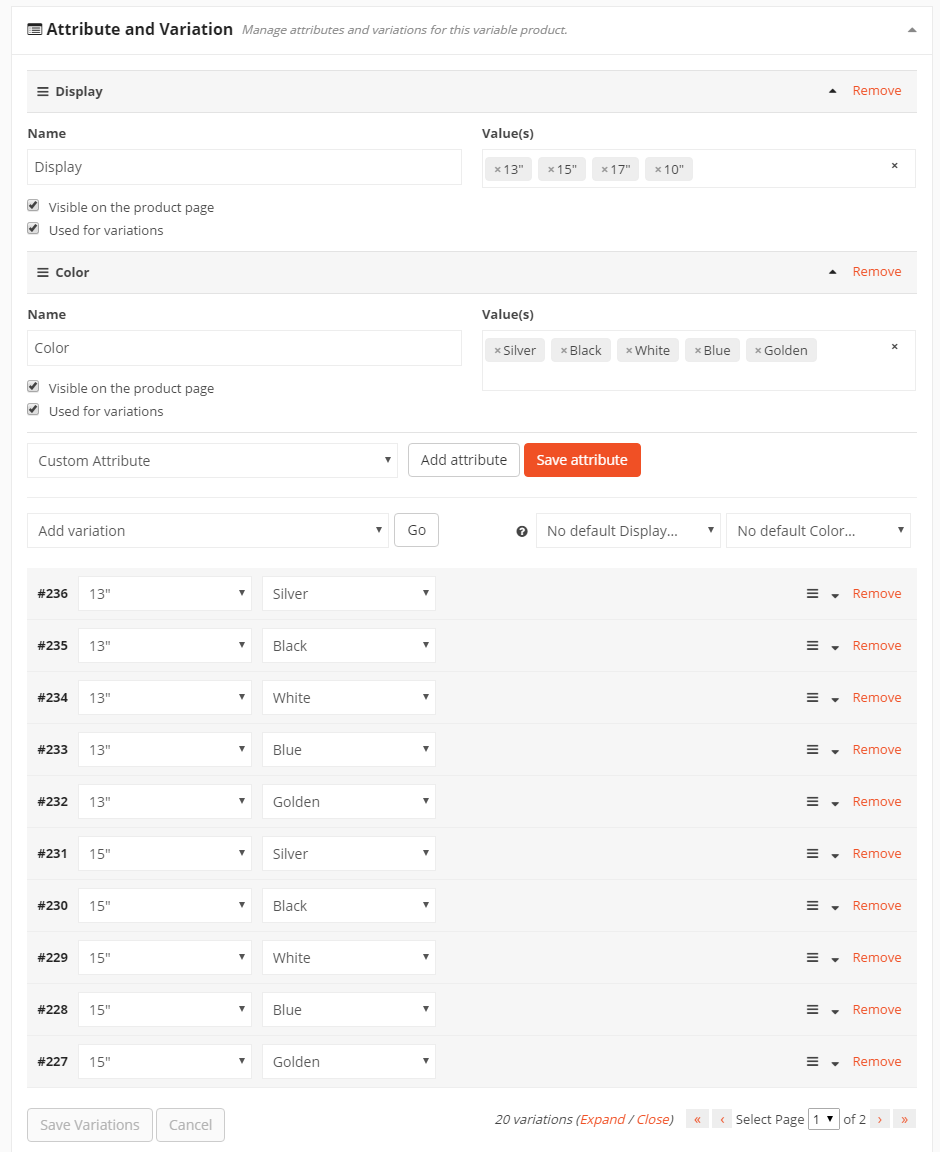
Now scroll down to the Attribute & Variation section from where you can manage different variations and attributes for your variable product.
Creating Attributes
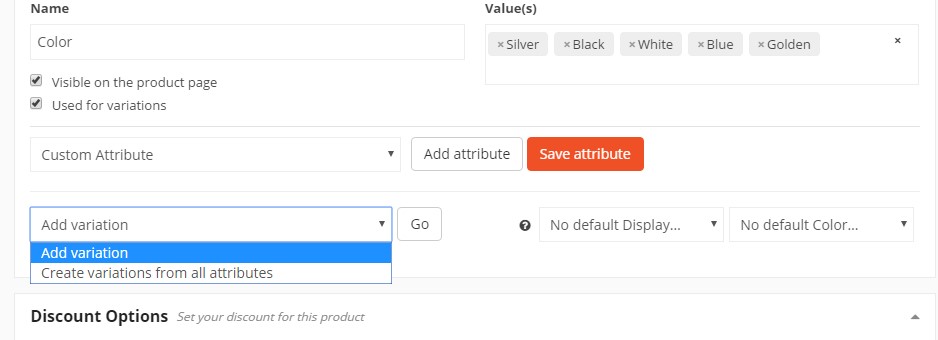
You can create a new attribute by selecting Custom Attribute and click on the Add attribute button. Now, provide the attribute Name and their values. You can create more values by entering ‘|’ character after providing a value.
Editing and Saving Variations
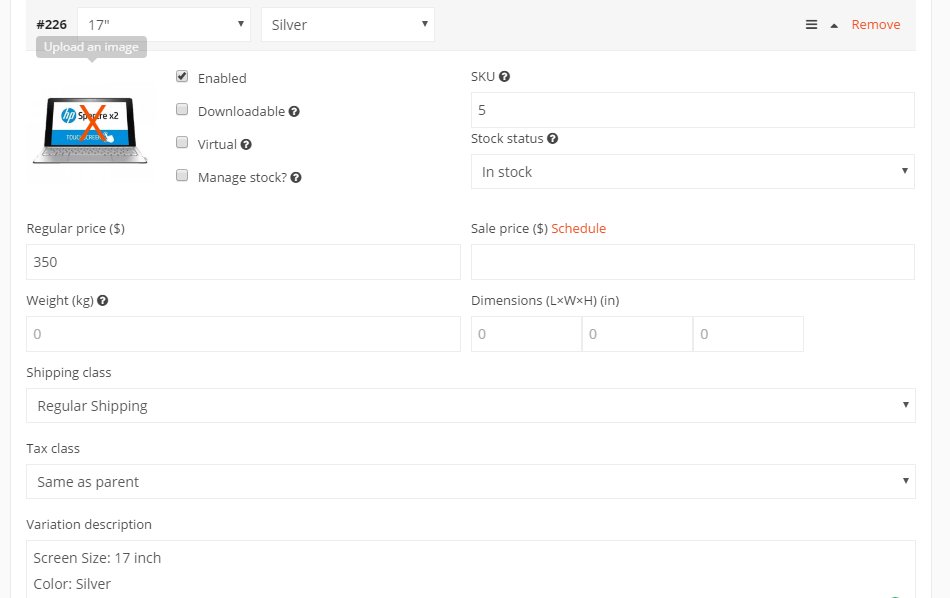
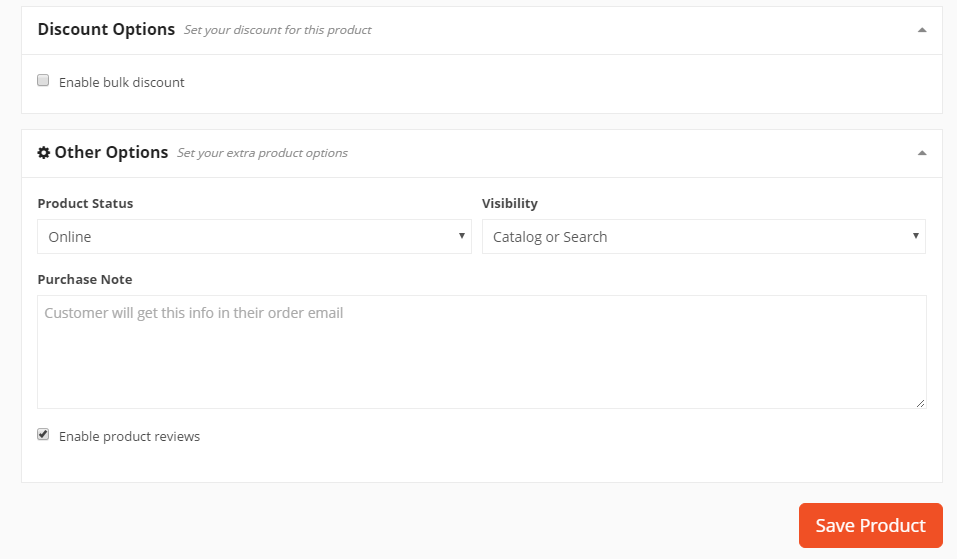
From the screenshot below, you can see that Dokan has generated all the possible variations for your product. Now, you can edit generated variations according to your requirements.